Master Your Move: The Ultimate Stowey Guide to Perfect Packing
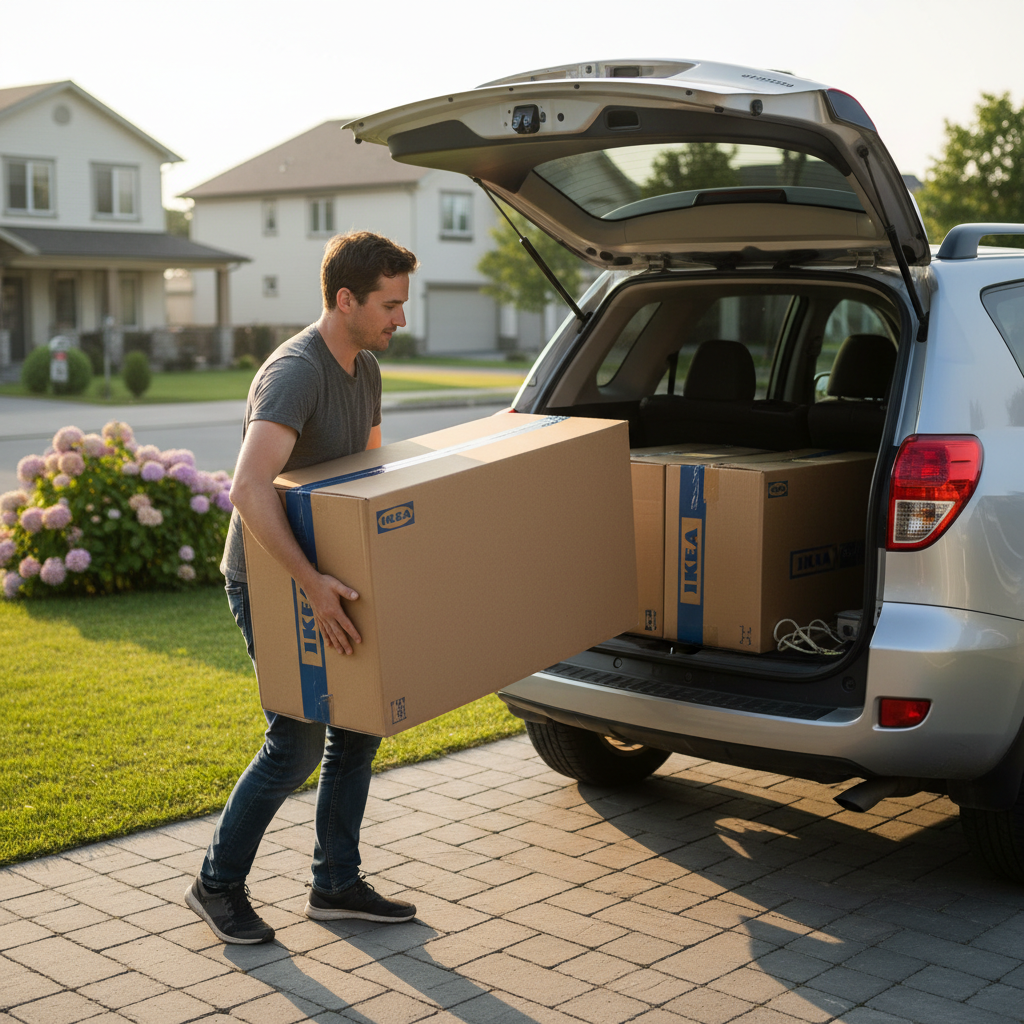
We've all been there — standing in the IKEA car park, staring at a box that definitely won't fit in the boot, wondering why nobody warned us. Stowey fixes that. This guide walks you through every feature so you can plan any load, any move, with total confidence before you leave home.
Why Stowey Exists
Moving furniture is one of those experiences that looks simple until it isn't. You measure your IKEA sofa. You eyeball the boot. You think "yeah, that'll fit." Then you're in the car park, the box is 10cm too long, and delivery costs more than the sofa itself.
Stowey was built to eliminate that moment entirely. It combines accurate real-world package dimensions from major retailers — IKEA, Bunnings, Wayfair, Ashley Furniture, Harvey Norman, Best Buy, Lowe's, and more — with your car's actual boot measurements to give you a definitive answer: will it fit?
Unlike a simple calculator, Stowey runs a full 3D packing simulation, visualises the load, and even suggests the optimal loading order so nothing gets crushed and everything makes it home safely.
10+
Major retailers
46,000+
Products catalogued
100s
Car models
Free
Always
Step 1: Choose Your Store (or Go General)
Start by picking the retailer you're shopping from. Stowey has dedicated pages for each major store, each pre-loaded with hundreds of real product dimensions — the box dimensions, not just the assembled size.
IKEA
Flat-pack furniture & homewares
Bunnings
Hardware, timber & garden
Wayfair
Furniture & décor
Ashley Furniture
Home furniture & sofas
Harvey Norman
Appliances & electronics
Best Buy
Electronics & appliances
Not shopping from a specific retailer? Head to the Trip Planner where you can enter any custom item dimensions — perfect for moving house or transporting gear that wasn't bought at a listed store.
Each store page has a smart search bar that searches across 46,000+ catalogued products. Just start typing the product name and matching items appear instantly with their box dimensions.
Step 2: Configure Your Car — Including Seats Down
This is where Stowey really shines. Most online calculators assume a fixed boot size. Stowey knows that your actual usable cargo space changes dramatically depending on how your seats are configured.
Select your make and model
Browse hundreds of cars from hatchbacks to SUVs, utes, and vans. Each model has accurate, researched cargo dimensions — not estimates.
Choose your seat configuration
Toggle "Rear seats folded" or "All seats down" to see exactly how much extra space you unlock. A typical SUV can jump from 500L to 1,800L+ with seats flat.
Confirm your cargo zone
Stowey shows a live diagram of your car's boot space. Length, width, and height update in real time as you change your configuration.
Compare two cars side by side
Enable Compare mode to run the same item list against two different vehicles at once — perfect for deciding between two cars, or figuring out whether your partner's SUV or your hatchback is the better choice for moving day.

The seat-fold toggle is one of our most-used features. Folding just the rear seats in a Toyota RAV4 adds nearly 1,000 litres of usable space — enough to fit an entire IKEA bedroom set.
Step 3: Add Your Items — Retail Products & Custom Entries
Once your car is configured, start building your load. You have two ways to add items:
Search the product catalogue
Type any product name and instantly see matching items from your chosen retailer. Each result shows the box dimensions (L × W × H) and weight so you know exactly what you're dealing with.
- Real box dimensions
- Weight included
- Add multiple quantities
Enter custom dimensions
Have an item not in the catalogue? A vintage dresser, gym equipment, or camping gear? Enter the dimensions manually and it drops straight into the packing simulation.
- Any item, any size
- Name it for easy tracking
- Mix with catalogue items
You can mix and match — add a BILLY bookcase from the IKEA catalogue alongside a custom-measured vintage lamp and a bag of sports gear. The simulator handles them all together.

Measure your items with the largest dimension as length. For irregularly shaped items, use the bounding box (the smallest box the item would fit inside). This ensures the most accurate simulation.
Step 4: The Packing Plan — Animated, Visual, and Ordered
This is the payoff. Hit Calculate and Stowey's packing engine goes to work. Within seconds you get:
- Fit/No-Fit result: A clear verdict — everything fits, some items don't fit, or you need to reconfigure.
- Animated 3D visualisation: Watch items pack into your boot in real time. Each item appears in sequence, showing exactly how the space fills up.
- Optimal loading order: Items are listed in the order you should load them — heaviest and largest first, fragile items last. No guesswork.
- Volume utilisation score: See the percentage of your boot space used and how efficiently your items are packed.
Watch your items pack into your boot in real time — the 3D visualisation updates as you adjust your load.
If some items don't fit, Stowey doesn't just tell you — it shows you which items are the problem and suggests alternatives: fold more seats, remove a smaller item to make room, or see whether a second trip makes sense. It even links to van hire options if you need more space entirely.
The packing order matters more than most people realise. Loading a heavy wardrobe box first and a flat-screen TV last protects both items. Stowey's loading order is calculated with weight distribution and fragility in mind.

Moving House? The Trip Planner Has You Covered
Buying from a single retailer is one thing. Moving an entire house is another. The Stowey Trip Planner is built specifically for multi-item, multi-room moves where the items come from everywhere — your bedroom, the garage, that mystery cupboard under the stairs.
What makes the Trip Planner different:
- Add household items from a curated list of common furniture and appliances — no measuring required for standard pieces
- Mix household presets with custom dimensions for unusual items
- Plan across multiple car trips and see exactly what goes in each load
- Save your item list and car configuration as a preset for quick access next time
- Share your packing plan via a link — handy for coordinating with friends or family helping on moving day

Use the "Save Preset" feature to lock in your car configuration and reuse it every time you move something. If you drive the same car for every Bunnings run, you'll never need to re-enter your boot dimensions again.
Pro Tips, Safety & Getting the Most Out of Stowey
Our packing engine handles the maths, but loading a real car has safety considerations too. Here's how to combine Stowey's output with smart real-world technique:
Respect your car's payload rating
Every car has a maximum payload (total weight it can safely carry). This includes passengers and cargo. Stowey tracks the combined weight of your items and warns you when you're approaching limits.
Heavy items go in first, low and forward
Stowey's loading order reflects this automatically. Heavy boxes should sit directly on the boot floor, as far forward as possible, to keep your car's centre of gravity stable.
Fragile items belong on top
TVs, glass tabletops, and mirrors are always loaded last and never stacked under heavier items. Stowey flags fragile items in your packing order.
Don't block rear vision
Items stacked above the window line aren't just a legal issue — they're dangerous. Stowey's 3D visualiser shows item heights relative to your car's window line.
The passenger seat is cargo space too
For long, thin items like timber lengths or framed prints, the reclined front passenger seat adds significant extra length. Include it in your planning by enabling the passenger seat option.
When in doubt, take two trips
Stowey will tell you honestly if items don't fit. Two safe, well-loaded trips are always better than one dangerously overloaded one.
Real Stories from Real Users
Don't just take our word for it — here's what Stowey users have shared with us:
"It's so embarrassing when you're in the car park of IKEA and you can't fit everything in the car. This really saved me from that by checking if the items fit before I go."
"I was moving from a 2-bedroom apartment and had no idea how many car trips I'd need. Stowey helped me pack two full loads perfectly — my housemate's car and mine. We got everything in two trips instead of the six I was dreading."
"I picked up a Bunnings deck kit — treated pine posts, sleepers, the lot. Loaded up exactly as Stowey suggested and not a single thing moved during the drive home. The loading order makes such a difference."
When You Need More Space: Car Hire Options
Sometimes no amount of seat-folding or Tetris-level packing will get everything in one trip. Stowey integrates with van and car hire options so you can find the right-sized vehicle for the job — without leaving the app.
If Stowey's packing simulation tells you items won't fit, it will suggest the minimum vehicle upgrade you'd need — whether that's a larger SUV, a station wagon with seats flat, or a cargo van. From there, you can compare hire prices directly and get on with the job.
Ready to Stop Guessing?
Pick your store and start adding items now. Stowey is completely free — no sign-up, no ads, no fluff. Just a definitive answer to "will it fit?"