
How to Transport Electronics Safely in Your Car
Electronics are among the most expensive and fragile items you'll ever move. A cracked TV screen, a dead hard drive, or a snapped stylus can cost hundreds — or thousands — to replace. Here's how to do it right.
10 min read
The Golden Rule: Original Packaging
Electronics manufacturers design their packaging specifically to protect each product during transport. The moulded foam inserts are engineered to absorb impact at the exact points where the product is most vulnerable. If you kept the original boxes, use them — every time.
If the original boxes are long gone (as they are for most people), there are still effective strategies for each type of item. The key principles are: protect corners and edges, never place pressure on screens or panels, maintain correct orientation, and immobilise the item so it can't shift.
Modern flat-panel TVs are not designed to bear their own weight when horizontal. Laying a large TV flat — even briefly — can cause panel delamination, backlight damage, or internal cracking that isn't immediately visible but shortens the TV's life.
Item-by-Item Transport Guide
Here's how to safely transport the most common electronics:
Large TV (55–85 inch)
Risk
Screen damage from pressure or flexing. Plasma and OLED panels are particularly fragile.
How to transport it
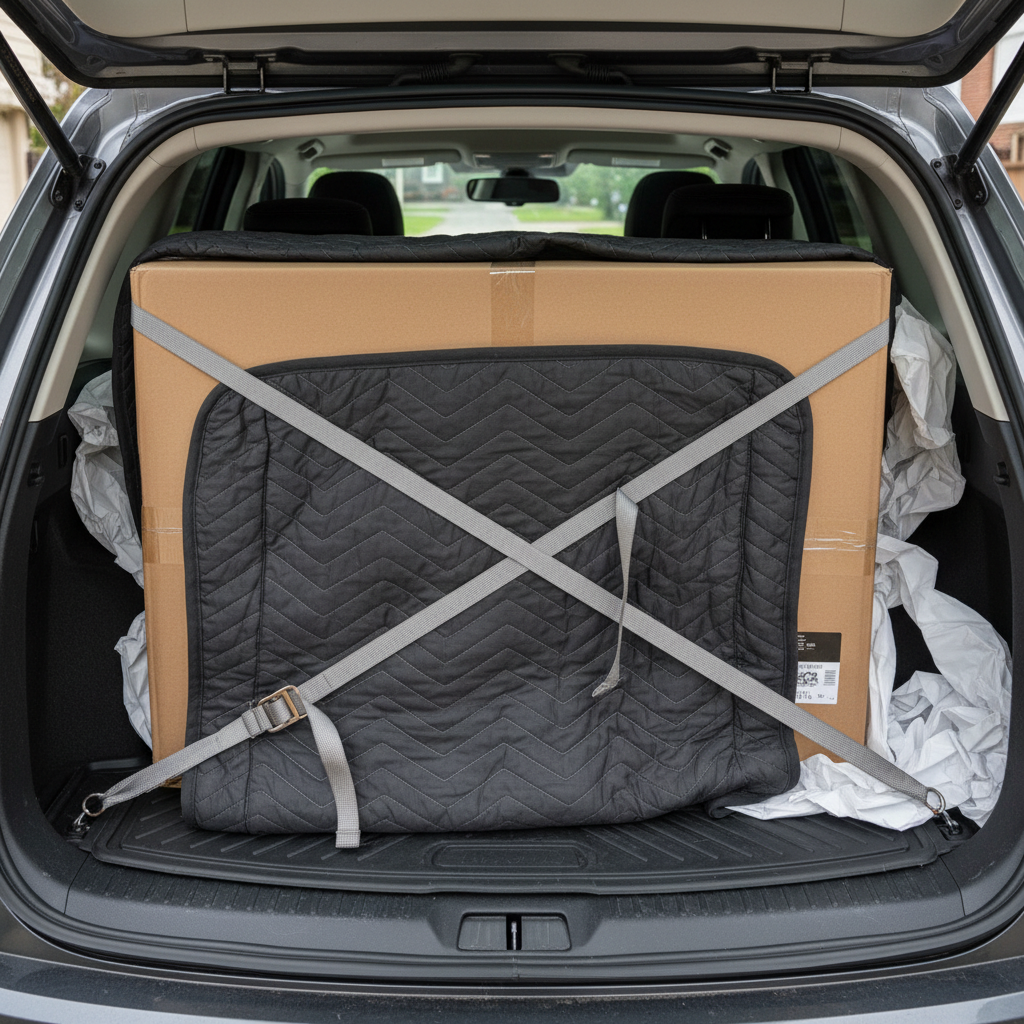
Always transport upright — never lay a large TV flat. The weight of the screen can crack the panel when horizontal. Use the original box if possible. If not, wrap in blankets and lean upright against the rear seat back, secured with straps.
Desktop Computer Tower
Risk
Hard drives are sensitive to vibration; graphics cards can unseat from PCIe slots during heavy bumps.
How to transport it
If moving a desktop, remove the GPU if it's a heavy card. Place the tower on a soft surface (foam or blanket), never on its side (which can allow the heatsink to stress the CPU socket). Keep upright.
Monitors
Risk
Panel cracking from pressure; backlight damage from bending the frame.
How to transport it
Original box is ideal. Without it, wrap in bubble wrap or a thick blanket, place face-down on a flat padded surface (never on the edge), and don't stack anything on top.
Soundbar
Risk
Corner impacts cracking the housing; cable connections bending connectors.
How to transport it
Wrap ends well and place on a soft surface. Keep horizontal. Remove any protruding cables.
Turntable / Record Player
Risk
Stylus breaking; platter unseating; tone arm damage.
How to transport it
Lock the tone arm if there's a clip, remove the platter and bag it separately, and transport in the original box if possible. Never lay face-down.
Home Theatre Receiver / Amplifier
Risk
Internal components shifting; button/knob damage.
How to transport it
Keep upright, well-padded at all corners. Avoid stacking anything on top of it — they're rarely designed for vertical load.
Temperature and Humidity Considerations
Electronics are sensitive to temperature extremes and humidity. A few things to be aware of when transporting them in a car:
- Don't leave electronics in a hot car. Dashboard temperatures can reach 80°C+ on Australian summer days. Batteries swell, screens delaminate, and solder joints can weaken with repeated heat exposure. Load electronics last and unload them first.
- Condensation after cold storage. If electronics have been in a cold storage unit or garage in winter, allow them to reach room temperature before powering on. Condensation inside a cold device can cause short circuits.
- Humidity in transit. For long interstate moves in open utes or trailers, consider moisture-barrier bags for particularly sensitive items like SLR cameras, hard drives, or audio equipment.
Cabling and Accessories
The electronics get all the attention, but damaged or lost cables can cause just as many headaches:
- Photograph your cable setup before disconnecting anything. A quick photo of the back of your TV cabinet or desk saves enormous time during setup at the destination.
- Bag cables by device. Use zip-lock bags or cable ties, labelled with the device name. One bag per device, taped to the device or placed inside its box.
- Velcro cable ties rather than rubber bands. Rubber bands degrade over time and can snap at exactly the wrong moment, launching a cable behind furniture at the new house.
Check If Your TV Fits Before You Move
Use stowey's calculator to check whether your TV (or other large electronics) will fit in your specific car alongside your other items.
Trip Planner